Start here
Editing and styles
Media and content
Tutorials
Site and publishing
Layout and navigation
Forms and services
The Facebook element can link visitors to a Facebook page or display a supported Meta social plugin. Its embedded output is supplied by Meta, so the options shown in Sitely and the features still available from Meta can differ.
For a straightforward outbound link, choose Link to Facebook page, enter the public page URL and adjust the social icon. A normal text link or button is another option. This does not load a live Facebook feed into the page.
Choose Page Plugin and enter the public Facebook Page URL. Review Use Small Header, Hide Cover Photo, Show Friends’ Faces and Show Posts, then set the element’s size and Language.
These settings request an appearance from Meta; the content actually returned can depend on the Page, visitor access and current provider support. Confirm the current Page Plugin requirements with Meta before relying on a live feed.
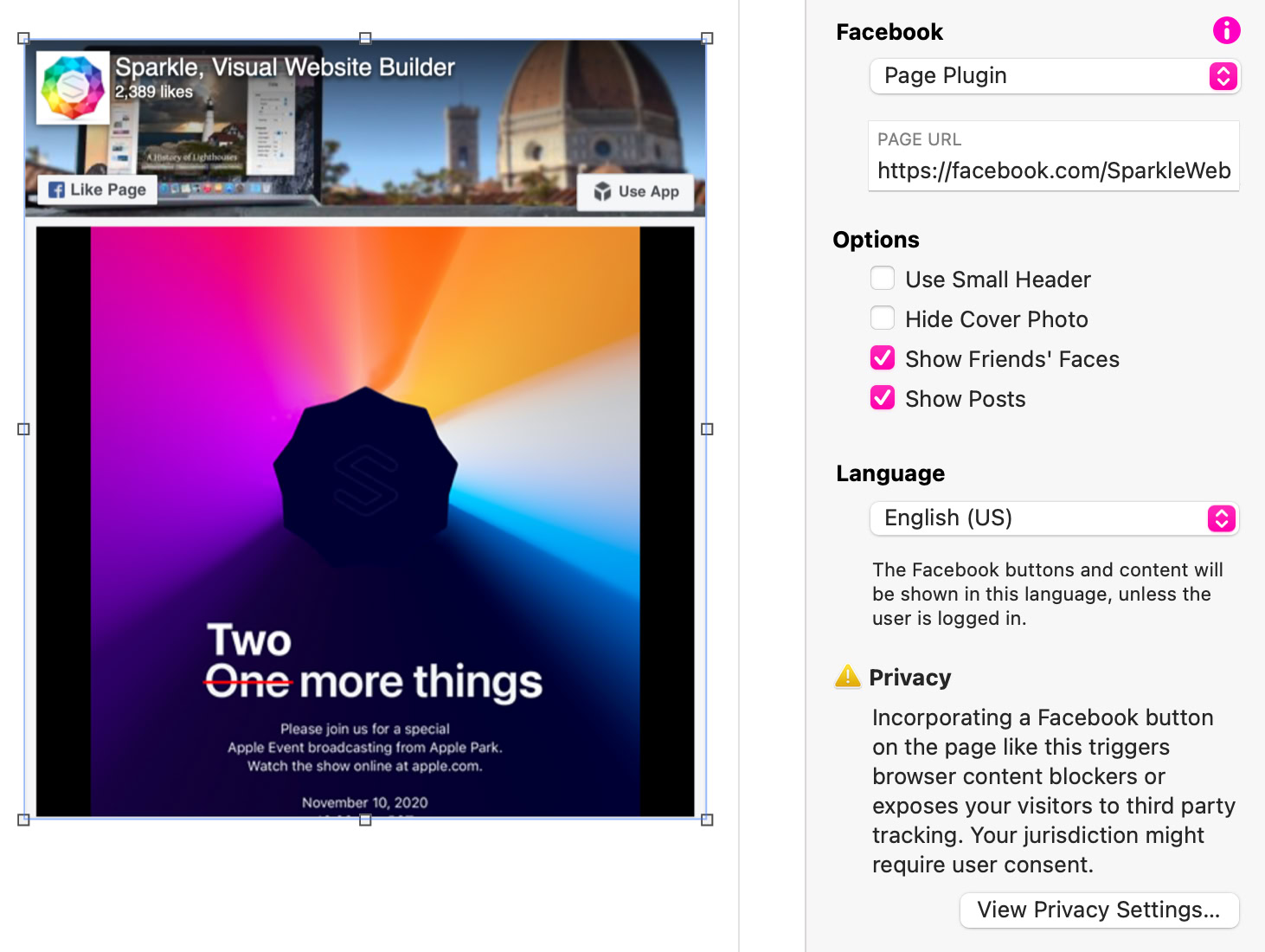
Page Plugin settings and an example Facebook feed.
Meta discontinued the external Like button and Comments plugin on February 10, 2026. Those plugins can become invisible without a page error. Do not use the Like option as a working feature for a new site; see Meta’s announcement for the affected plugins.
The element’s menu still lists Like, Share, Send and Follow, and a new Facebook element starts as Like; change it to Page Plugin or Link to Facebook page. Share has a Layout (from Button, Count Above to Link Only), Send has Tracking, and Follow has a Layout, a Light or Dark Color and Show Friends’ Faces; check that Meta still serves the plugin you choose. Check the current availability of the exact integration you choose. A provider retiring one plugin does not establish the status of every Facebook integration.
Review Site Settings > Privacy, preview any provider-activation message and test with the relevant consent choices. Check the published page in more than one browser, with and without the content blocker used for your test.
A blank widget can reflect provider availability, Page restrictions, consent or a blocked script. Check the source Page and Meta’s current documentation before changing the site layout. Keep a visible page link and essential information outside the embed so visitors can continue without it.
Please report any shortcoming in this documentation and we’ll fix it as soon as possible!
Updated for Sitely 8

Powerful and refreshingly simple, at home on Mac, finding new freedom on iPad.
Always on. Keeps the site working.
Enables optional features.
Remembers your settings.
Counts visits and page views.
Tailors ads to your browsing.
We and our partners use optional cookies for extra features, saved preferences, visit counts and personalised ads. To change your choices later, use Cookie settings in the footer.
Closing keeps optional cookies off. Privacy policy