Start here
Editing and styles
Media and content
Tutorials
Site and publishing
Layout and navigation
Forms and services
Add a file picker to a form and collect the selected attachment.
This is a simple file upload element where users can browse for a file on their computer and attach it to the form.
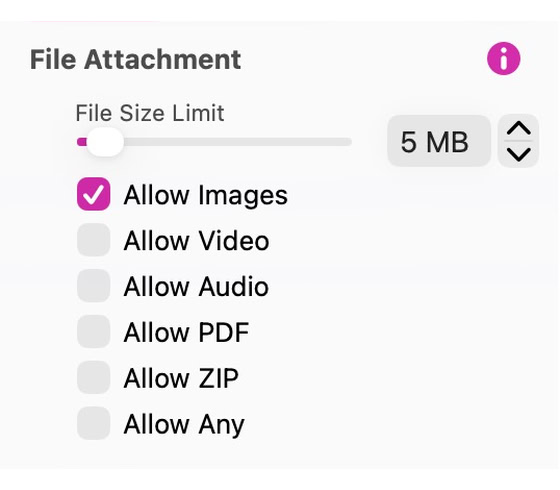
The element itself is a group of two elements, the file field and the button. These can be selected and styled individually. When the group is selected, you have full control over what users can upload with the form results. You can specify the type of files allowed, as well as the file size limit.
Select the file field or the Choose File button within the group. In Style, use a compatible Text Input preset for the field or a Button preset for the button. To save a new appearance, select the styled part and use Save Preset. The group keeps its file types, size limit and file-picker action.
See Forms for configuring submission and delivery.
Please report any shortcoming in this documentation and we’ll fix it as soon as possible!
Updated for Sitely 8

Powerful and refreshingly simple, at home on Mac, finding new freedom on iPad.
This website makes use of cookies.
Please see our privacy policy for details.