Start here
Editing and styles
Media and content
Tutorials
Site and publishing
Layout and navigation
Forms and services
Group radio buttons so a visitor can choose one option.
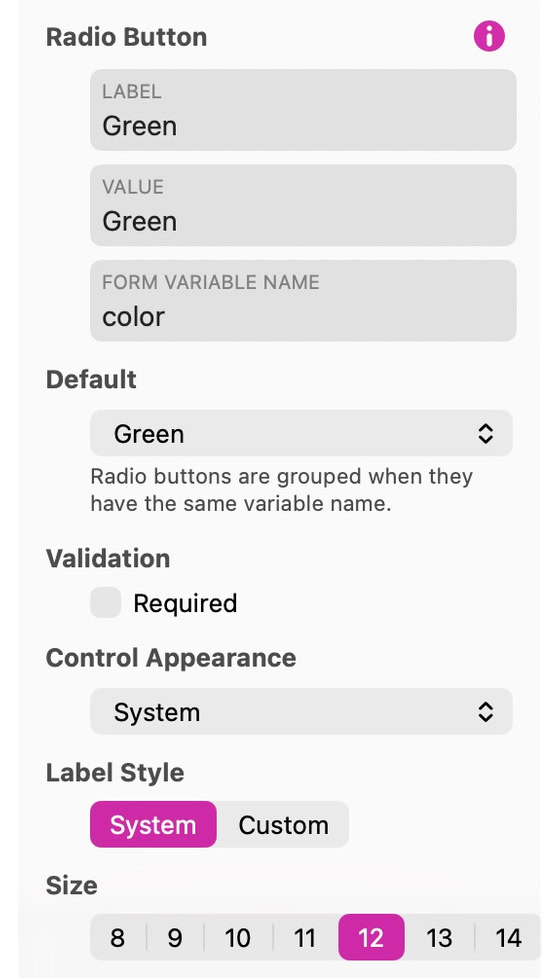
Add one radio button per choice and give the buttons the same Form Variable Name to make a group. Give each choice its own submitted value and select an initial choice if needed. Selecting another radio button clears the previous one.
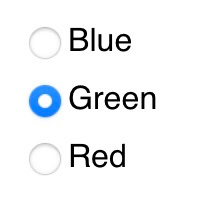
Use Control Appearance to choose System, Custom or Images and style the selected and unselected states. Keep labels readable. The example below shows three choices with Green selected.
Use Save Preset in the Style inspector to reuse this appearance on another control of the same type.
See Forms for configuring submission and delivery.
Please report any shortcoming in this documentation and we’ll fix it as soon as possible!
Updated for Sitely 8

Powerful and refreshingly simple, at home on Mac, finding new freedom on iPad.
This website makes use of cookies.
Please see our privacy policy for details.